Blogging
One of the most effective ways to get a grasp on a new topic, is to write about it.
To answer the question - “Why Blog?”, read this awesome guide by Jason Braganza.
At AMU-OSS, we follow the practice of writing blog posts about whatever we’ve learnt in the weekly online sessions.
We encourage the habit of writing frequently, and on anything of your interest.
AMU-OSS blogs are hosted at https://blogs.amuoss.tk.
Below are the steps you need to perform in order to get started.
Request an invite link
To get an invite link, ping Rahul Jha [:RJ722] on Slack, asking for an invite link.
After you’ve received the link, open it to register yourself on https://blogs.amuoss.tk with your email (so that you don’t get locked out when you forget your password).
Configure your blog space
Make your blog visible to everyone
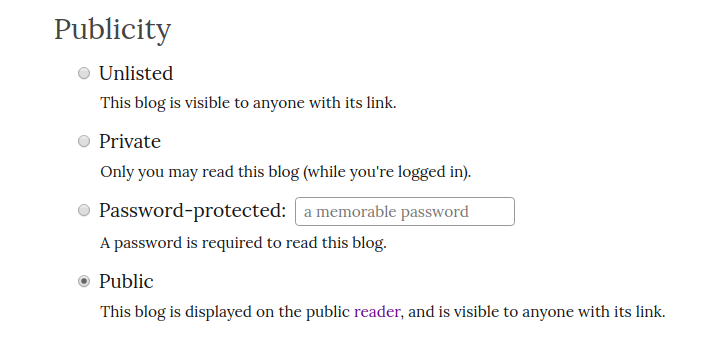
By default, all the posts you write are unlisted (i.e. they do not appear on https://blogs.amuoss.tk/read).
To make them public, follow these steps:
- Navigate to your blog
- Click on ‘customize’. This opens up your blog settings page.
- Under the ‘Publicity’ section, change ‘Private’ to ‘Public’.
View blogs on the Reader
When you publish something (or make it public), it takes some time for the post to show up publicly. Wait for a few minutes, and refresh the page to see if your post appears on the reader.